AI Slop Design: Why Generated Websites Looks the same
Why AI website generators repeatedly produce familiar layouts—and how next-token objectives, common web conventions, and code-first workflows create template gravity. Learn a practical repeated-generation test and why making design intent explicit before code can produce more meaningful structural variation.
It's not laziness. It's math—and that is harder to fix than a missing prompt adjective.
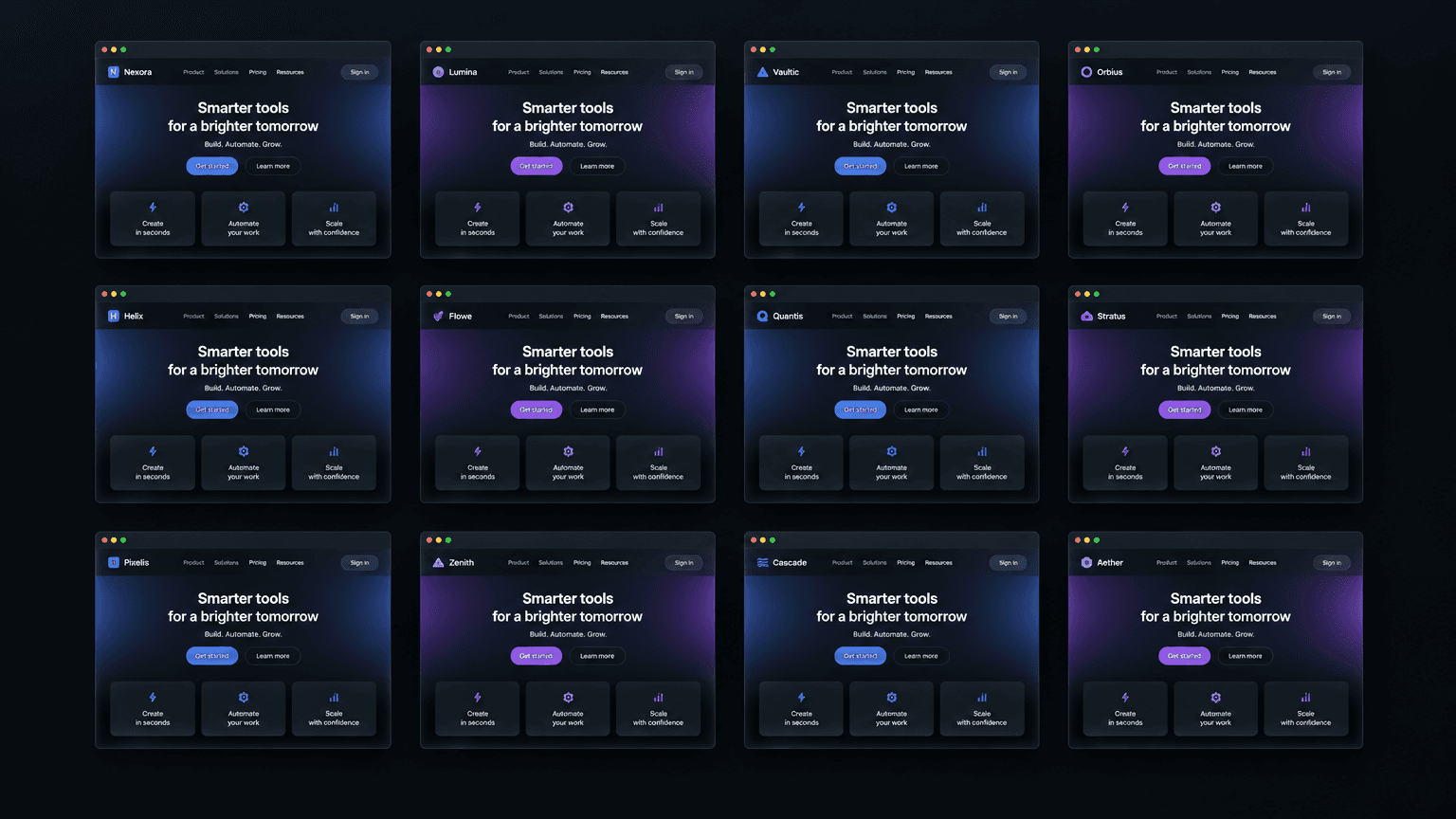
I put fifty generated landing pages side by side on one screen.
Different tools. Different prompts. Wildly different businesses: a coffee roaster, a fintech app, a yoga studio, a B2B analytics platform, a developer-tools startup.
Then I stepped back and looked at the grid.
It was one website, fifty times.
A hero section in a purple-to-blue gradient. A centered headline, a subheadline, and two buttons—one filled, one outlined. Three feature cards with little icons on top. A pricing table whose middle column wears a “Most Popular” badge. Testimonials credited to people who don't exist, avatars included. A footer in four columns.
The fintech app and the coffee roaster were laid out almost identically. The roaster's prompt asked for warm and artisanal, roasted by hand in small batches. What came back was the same familiar SaaS skeleton.
That is the moment I started thinking less about whether the generator could write the code and more about what it was optimizing for.
The comfortable explanation is wrong
The easy story is that AI website tools are still early. Models will improve, training data will get better, and eventually the output will stop looking generic.
I believed that for a while. It is incomplete. Better models can produce better code, follow more constraints, and represent more visual concepts. But capability alone does not tell a system which of many plausible designs to choose. If the generation process is still rewarded for producing a safe, familiar, prompt-compliant page, increased capability can make the familiar page more polished without making it more distinctive.
Generic output is not necessarily a bug. It can be the expected result of a system doing exactly what it was trained and prompted to do.
What a code-first generator is optimizing
A language model generates a sequence one token at a time. At each step, it estimates a probability distribution over possible next tokens given the context: the prompt, the earlier output, and the model's learned parameters. A decoding strategy then selects or samples from that distribution. The system does not directly ask, “What is the most beautiful website?” unless a separate process has been designed to represent and evaluate that question.
This distinction matters. Next-token prediction does not mean every model always picks the single most probable token; sampling, temperature, beam-like strategies, and other decoding choices affect the output. Nor is a website literally chosen by averaging complete websites. The “average of the internet” is a useful metaphor, not a literal data structure inside the model.
But the underlying pressure is real: common patterns are easier to continue coherently than unusual ones. Web pages share conventions, training examples repeat familiar layouts, and code-generation examples often encode those same conventions in reusable components. When a prompt says “build a landing page,” a centered hero, paired calls to action, feature cards, social proof, pricing, and a footer form a well-worn continuation. A strange but brand-appropriate composition has fewer precedents and usually requires more explicit direction.
The model is not consciously choosing a template. The template is a high-probability path through a learned distribution, reinforced by the conventions in examples and by product incentives that favor outputs users recognize as complete and usable.

Different domain prompts can still land on familiar page conventions when the generation path has no explicit design objective.
The average of many familiar choices tends to look familiar. That is the heart of the problem—not that the model has no ability to produce unusual work, but that unusual work is not the default outcome of a generic code-generation objective.
“Beautiful” and “probable” are not synonyms
Most tools in this category promise some version of “beautiful websites.” Their generation pipeline, however, is often much more directly organized around producing working code that resembles common examples and satisfies the text prompt.
Those goals overlap, but they are not identical. Visual distinction often comes from choices that are not the default: an unexpectedly narrow measure, a large quiet area, a sharp typographic scale, a restrained palette, an asymmetric composition, or a single element that deliberately breaks the rhythm. A page can be valid, responsive, and conventionally polished while still feeling interchangeable.
Unusual is not automatically beautiful, either. Randomness can produce noise. The point is not to maximize surprise; it is to choose a form for a reason and make it serve the brand, content, and visitor task. Design needs an objective beyond “continue plausibly.”
The two-generation test—and what it does (and doesn't) tell you
Here is a quick diagnostic. Give the same brief to a code-first builder twice. Keep the model, settings, and prompt fixed if the tool exposes them. Compare the results after looking past copy, colors, and images.
- Is the section order the same?
- Does the hero occupy the same proportions and use the same alignment?
- Do the same card grids appear in the same places?
- Does the information hierarchy change, or only the wording?
- Are the layouts different because of a coherent design rationale, or merely because of sampling noise?
If the two pages have nearly identical structure, that is evidence that the system has a strong structural default. It does not prove that no decisions occurred: decoding choices, prompt interpretation, and implementation choices still happened. Likewise, variation alone does not prove design quality. A generator can produce different pages randomly and still make no domain-aware decisions.
The useful question is whether the tool can make and explain consequential structural choices—not whether two screenshots differ by a few pixels.

Structural variation is a useful signal to inspect; it is not, by itself, a score for taste or usability.
For a more disciplined comparison, run the same brief several times in each tool and record structure separately from surface treatment. Represent each page as a simple sequence—hero type, proof section, feature presentation, conversion section, footer—and note layout patterns such as split hero, editorial column, card grid, or product screenshot. Compare section order and layout families, not just screenshots or source-code diffs. If you have enough samples, a basic structural distance can count insertions, deletions, and substitutions in those sequences. Keep prompt, viewport, and available generation settings constant; otherwise you may be measuring changed inputs rather than a tool's default behavior.
That experiment measures the behavior of a particular product configuration, not all language models or all possible prompts. It is a quick way to expose template gravity, not a scientific verdict on design capability.
Why prompting harder doesn't reliably rescue you
The natural response is to fight generic output with stronger prompts. I spent an embarrassing amount of time doing that.
I asked for bold and unconventional. I banned the gradient hero and three-column features by name. Often the result was the same page with a different palette, a rearranged card section, or a novelty detail pasted onto the familiar skeleton.
A prompt absolutely can steer generation. A detailed brief with reference imagery, content hierarchy, audience, constraints, and an explicit layout can move the result substantially. But a few adjectives—bold, premium, disruptive—leave the system to infer what those words should mean in concrete spatial terms. The model may satisfy them at the level of copy and color while retaining its default page architecture.
Think of the prompt as steering pressure, not a guaranteed override of every learned convention and product-level template. You can shift the surface; unless the system plans structure as a separate concern, the underlying layout may remain where its strongest defaults are.
Design needs a step of its own
If design is merely a side effect of writing code, then a better coding model is not a complete solution. The missing piece is a design process that makes decisions before implementation begins.
A useful design pass should produce something concrete enough to inspect and challenge:
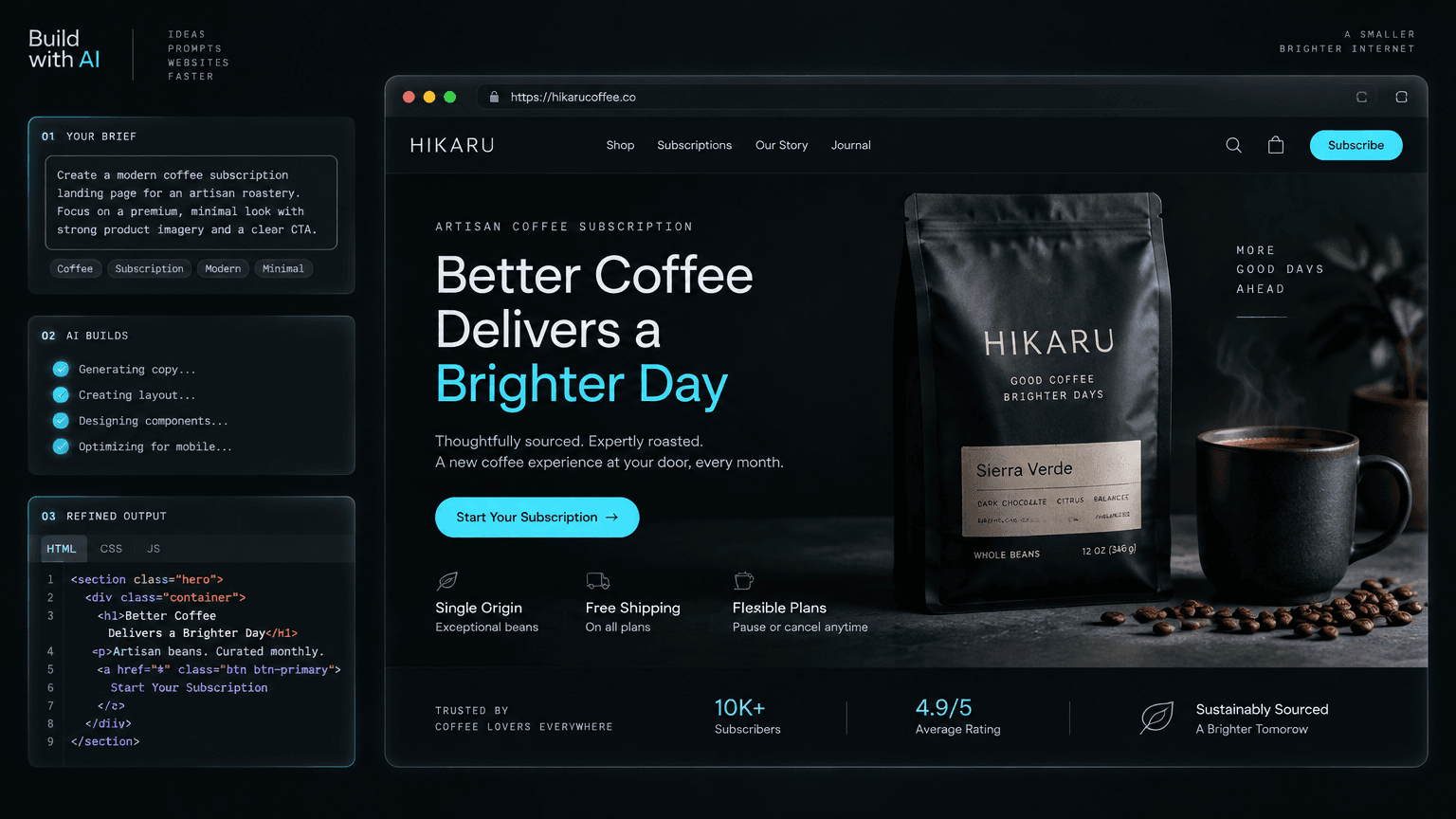
- Brand interpretation: Translate vague adjectives into specific visual traits. “Warm and artisanal” might imply natural product photography, tactile materials, a human-scale serif display face, restrained earth tones, and language about provenance—not an automatic purple gradient.
- Visitor and message hierarchy: Identify the primary audience, their question, the page's main claim, and the action that matters. This determines what receives visual weight.
- Layout concept: Select a structural idea that fits the brand and content: editorial split, product-led showcase, narrative sequence, comparison, catalog, or another form. Decide what should not be included by default.
- Type, color, and spacing rules: Define a scale and rhythm, including intentional contrast and where the pattern should break. Make a small system, not a pile of isolated styling choices.
- Implementation and review: Generate components from that plan, then inspect the rendered page at relevant screen sizes. A layout decision is only useful if it survives real content and responsive constraints.
That separation does not require a human designer manually drawing every page. It requires the product to represent design intent as a first-class intermediate artifact—whether that is a structured brief, a layout plan, a token system, a wireframe, or some combination—and to check the generated interface against it. This makes choices legible, revisable, and testable before they disappear inside a large block of code.
That is the architectural bet behind Orlume: run a design pass before code generation, so questions of brand personality, visual hierarchy, typography, and spacing are addressed as design decisions rather than left entirely to code completion. The claim is not that a planning step guarantees great taste. It is that a system cannot reliably preserve design intent it never made explicit in the first place.
Being straight with you
I co-founded Orlume, so discount this accordingly—you should.
We're small. The tools I'm describing are built by well-funded teams with years of head start, and there are things they do that we don't. If you need heavy backend logic, deep integrations, or mobile output, several of them will serve you better today. One of them is Lovable, and I wrote up where Lovable is ahead of us in a separate comparison.
What I'm claiming is narrower: many AI website tools treat design as a byproduct of code generation, and that makes template convergence a predictable failure mode. A dedicated design step is our bet against it—not proof that we have solved taste. Run the two-generation test on our tool and whatever you use now. Put the screenshots side by side. Then compare the structure, not just the polish. Ten minutes of evidence is worth more than taking my word for it.

The part that actually costs you
When a site looks generated, visitors can read it as a statement about its owner: this person never bothered to make it their own. That may be unfair, but first impressions are made quickly. A better product can lose a comparison before anyone reads a word if its page looks interchangeable with everything else in the category.
Every AI builder can produce working code now. The race for basic functionality is no longer the whole story. The more consequential question is whether the interface reflects a set of choices grounded in the product—or simply the most familiar shape the system knows how to complete.
The one race still running is whether what comes out has any taste.

Build something that doesn't look AI-made
Orlume designs before it codes: real hierarchy, real layouts, live in minutes.
Try Orlume free